I Built a Photobooth for People in Different Cities.
2026-10-09
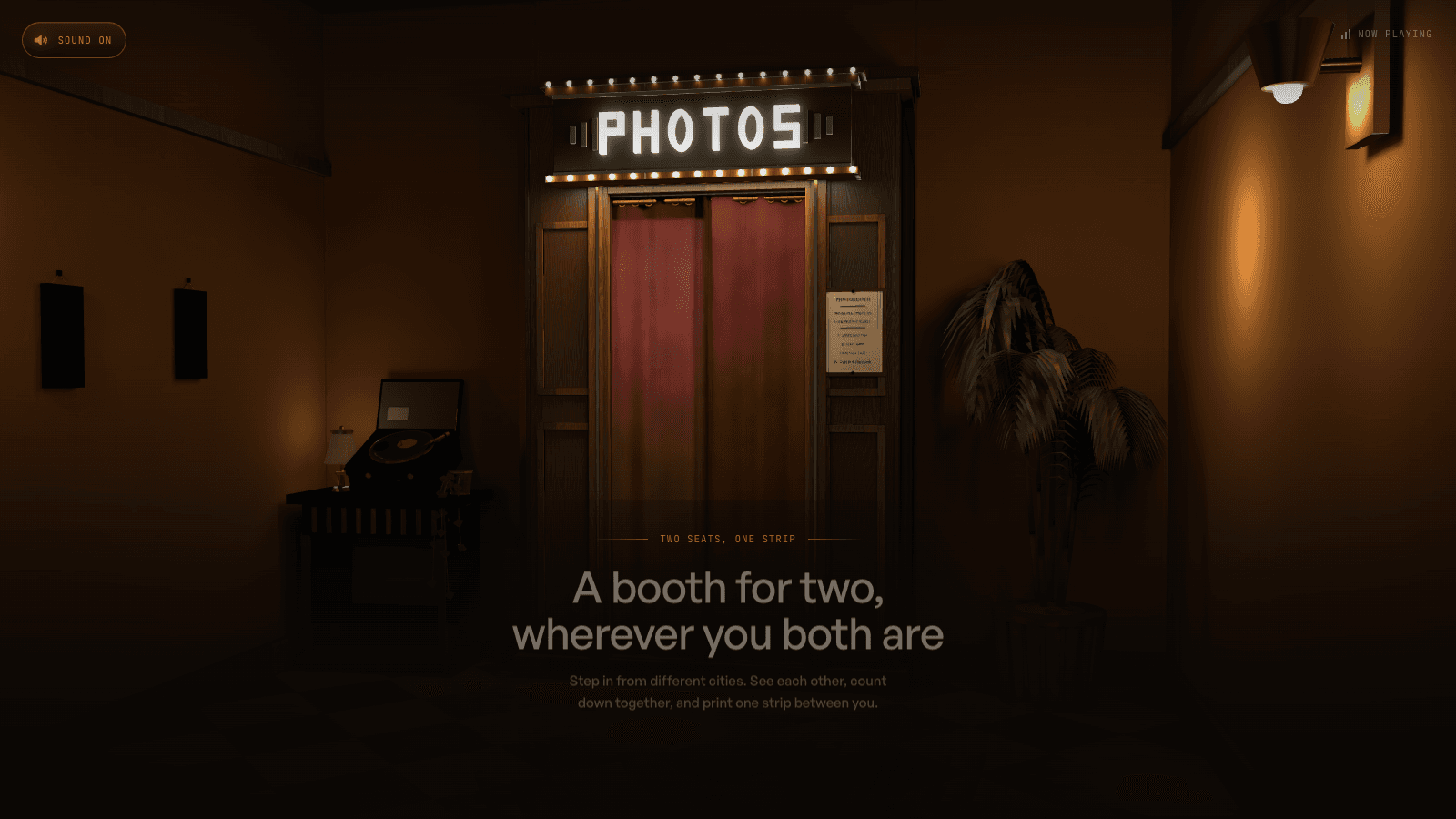
Open a booth. Send someone the code. Step in from two different places, count down together, and leave with one photo strip. That is the experience I wanted to build.
A photobooth has a very small ritual. You pull back a curtain, squeeze into the frame, decide what to do with your face, and run out of time to decide. Then you do it three more times. The strip keeps the awkward bits along with the good ones.
I wanted to bring that ritual to people who live apart, especially long-distance couples. The starting point was simple: two seats, one strip, wherever you both are.
That gave me a useful constraint for every decision afterward. The technology had to support a shared moment. The room, the countdown, and the photograph all had to feel like parts of the same thing.
How to take a strip together
You each need a phone or computer with a camera and an internet connection. You can join from different places, and neither of you needs an account.
The screenshots below use simple demo figures in place of personal photographs. The code shown is an example; share the code from your own booth. Click any screenshot to see it at full size.
1. Open your booth
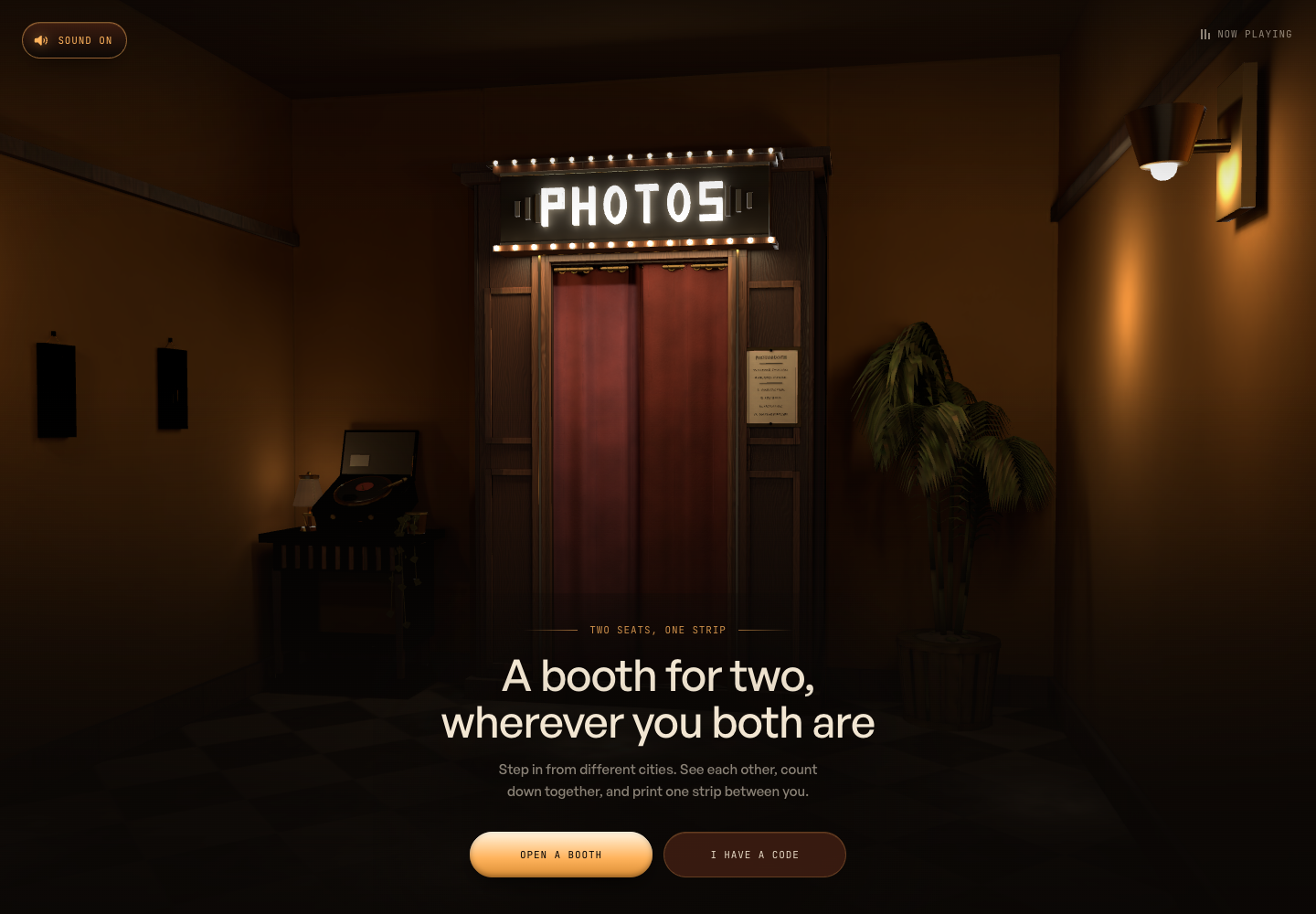
Go to the photobooth and choose Open a booth, the amber button at the bottom. The camera moves through the curtain and settles inside.
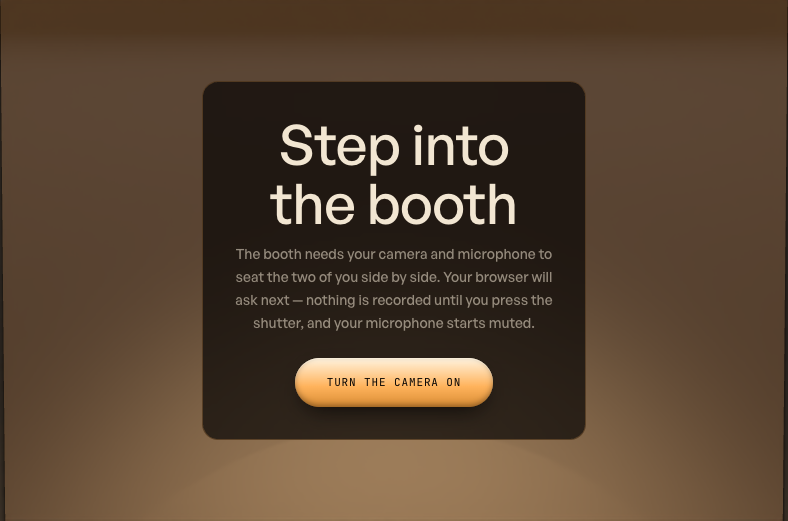
2. Turn on your camera
Choose Turn the camera on, then allow camera and microphone access in your browser's permission prompt. Your microphone starts muted; you can choose Unmute later if you want to talk.
3. Invite the other person
Your camera appears in one half of the screen. The empty seat shows your four-character code and Copy the link. Click that button and send the link to your partner; it opens your room directly.
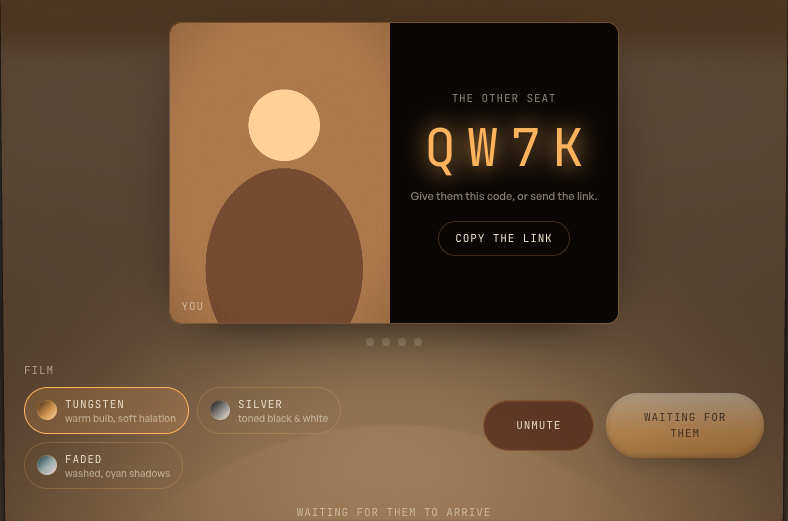
You can also read out the code. Your partner chooses I have a code on the entrance page, enters those four characters, and selects Walk in. They then turn on their camera and allow access too.
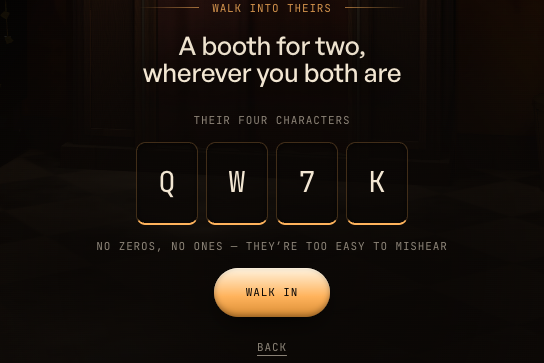
4. Find your framing and pick a look
Once both cameras are connected, you see each other side by side and Take 4 photos becomes available. Choose Tungsten for warm color, Silver for toned black and white, or Faded for washed color. The look is shared between you.
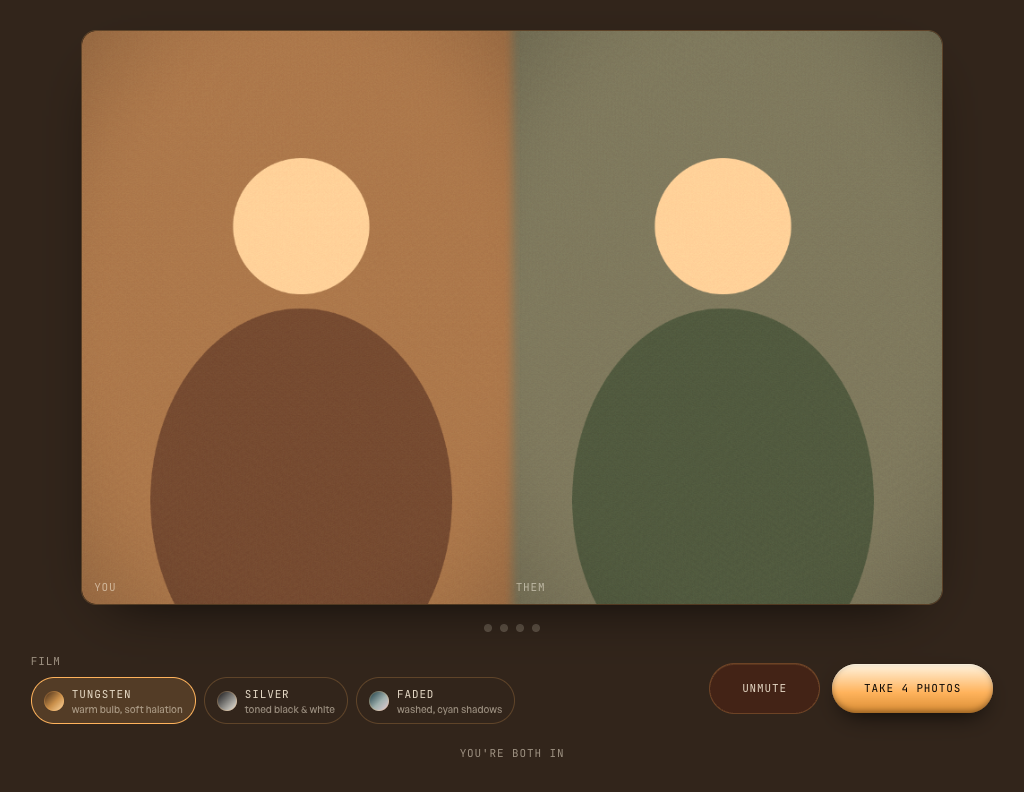
5. Take the four photos
Choose Take 4 photos. A three-second countdown appears over the preview for each shot, and the button changes to Hold still. You have a short pause between exposures to change your pose. Stay in the booth until all four are finished.
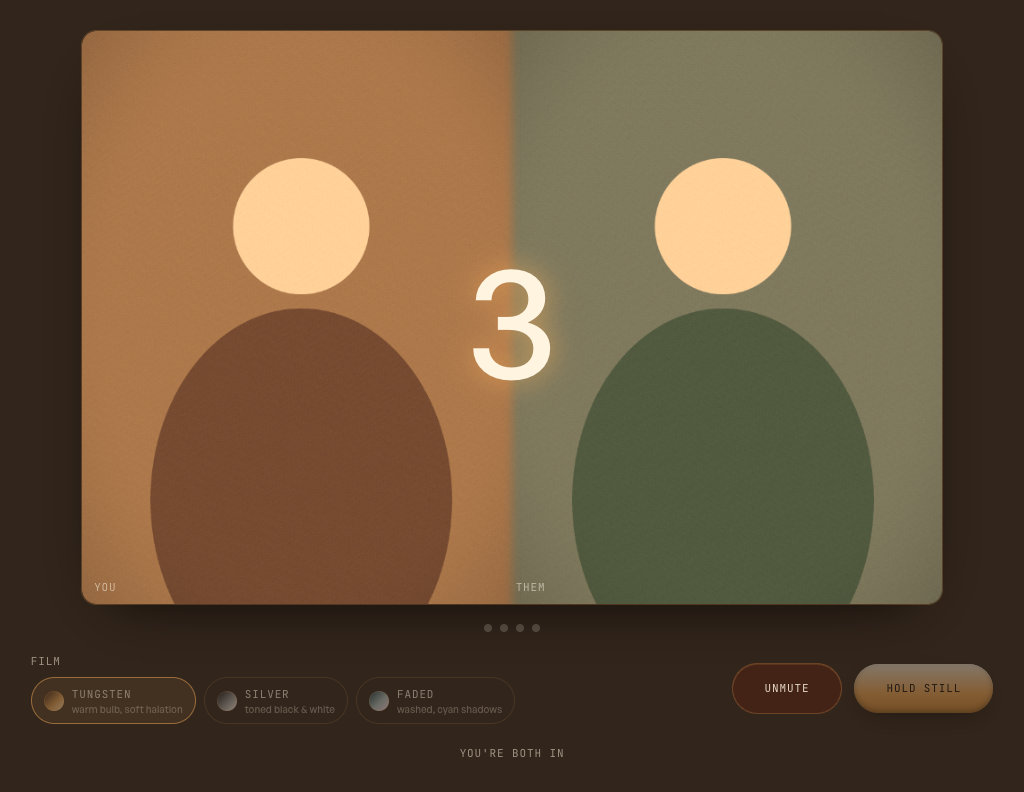
6. Keep your strip
Wait for the strip to emerge, then click Keep this strip at the bottom to open its page.
On that page, choose Download to save the PNG or Share to send the strip link. Bookmark the link too: there is no account or gallery to find it through later. Take another brings you back to the entrance for a new session.
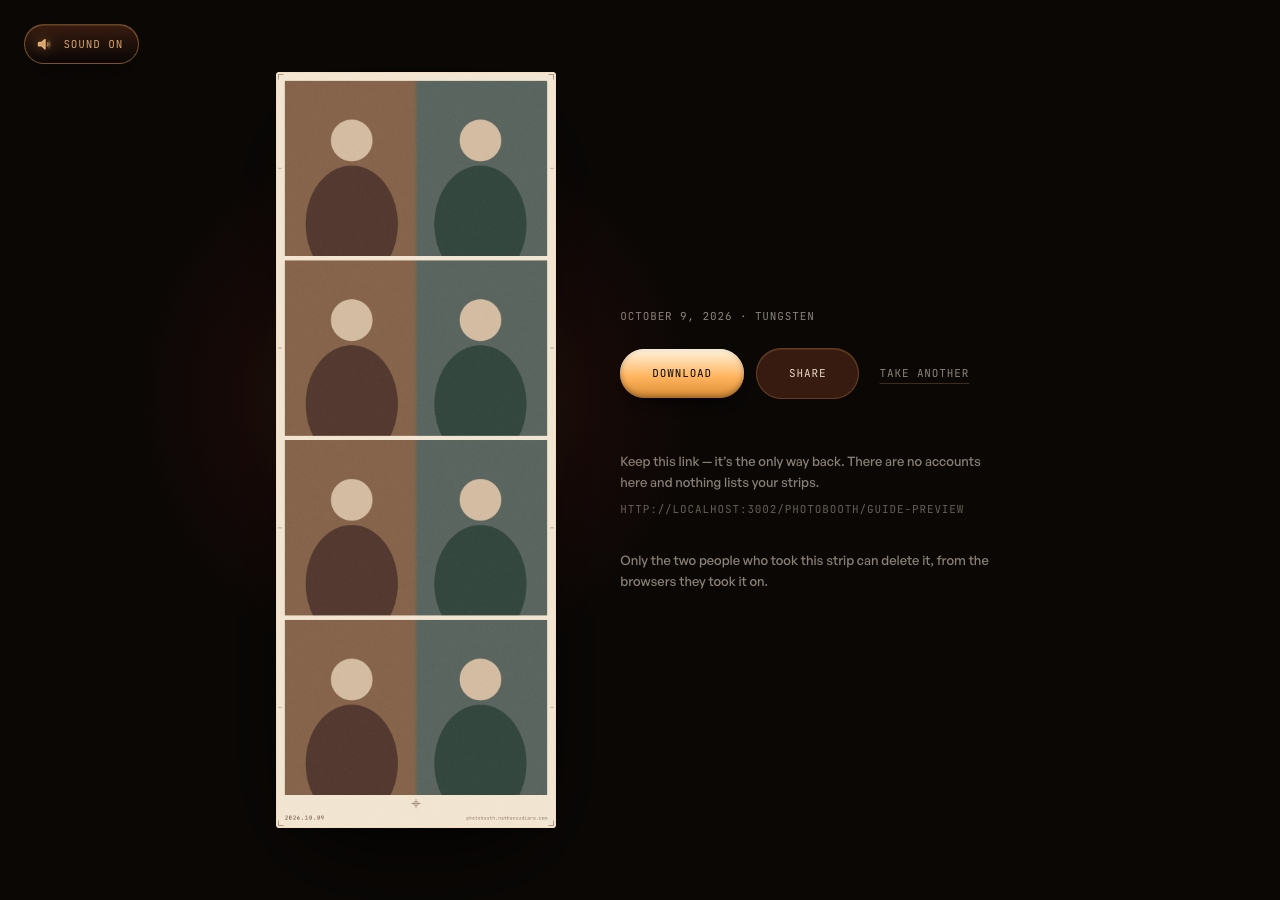
If the camera does not open, check the site's camera permissions in your browser and close any other app using it, then try again. If you see Waiting for them, your partner still needs to join and connect their camera before the shutter becomes available.
Give people a place to meet
The entrance is a warm wooden booth at the end of a dark hallway: amber bulbs, brass trim, a red velvet curtain. There are two choices: Open a booth and I have a code.
The invitation is a link or a four-character code. No account setup. The code leaves out ambiguous characters such as zero and the letter O, because someone should be able to read it aloud without turning the invitation into a spelling exercise.
Once you enter, the camera moves toward the curtain, passes into the booth, and settles on its screen. Your partner arrives through the same approach. The room has a threshold, and walking through it gives the session a beginning.
I built the scene in Blender and baked its lighting into textures. The browser renders the exported model with Three.js and React Three Fiber; GSAP drives the camera journey. Baking means the warm light and shadows are already in the surfaces, so the browser does less lighting work while keeping the room's atmosphere.
The buttons and camera controls are ordinary HTML over the scene. Their position follows the booth screen's projected rectangle. They stay sharp, focusable, and usable with a keyboard while still appearing to belong to the machine.
The preview and the photograph have different jobs
WebRTC connects the two browsers for live video and audio. You can see each other, find your framing, and react while the countdown runs.
The final photograph comes from each person's own camera.
That distinction became one of the most consequential decisions in the project. A remote video stream has already been encoded and sent across a network. Each browser can capture its local image before that trip, then upload its half of the photograph for the server to assemble.
Where the browser supports it, the capture uses ImageCapture.takePhoto(). The fallback draws the local video at the camera track's resolution. Both routes preserve the framing used in the preview and apply the selected film look.
There is a subtle trap here: a camera can preview at one aspect ratio and return a still at another. Cropping the still directly into the strip can reveal extra ceiling or cut the face differently. The capture first matches the preview's field of view, then crops to the printed half-frame. The photograph needs to honor the pose someone actually composed.
Two clocks need one shutter
A shared countdown creates an expectation: when the number disappears, both people are being photographed.
Sending a message that says "take it now" leaves network delay inside that moment. Instead, the peers exchange timing information and schedule a shutter ahead of time. Each browser works toward that shared moment on its own clock.
The same connection carries changes to the film look. Pick Tungsten, Silver, or Faded, and both sides preview the same choice. The preview and capture use the same shader source, which keeps the grade consistent from the screen to the uploaded image.
Four exposures become four rows. In every row, one person occupies the left half and the other the right, joined by a soft blend. The server assembles the sheet with Sharp, adds warm paper margins, a date, registration marks, and grain, then saves the finished PNG.
The strip emerges from the booth's slot as a textured plane carrying that actual image. After the reveal, it becomes a regular page you can download or share. The little printing sequence gives the session a payoff: the thing you just made comes back to you.
The unglamorous details carry the experience
One capture problem left a particularly clear trace: a black first photograph on a strip whose later frames were fine. The camera could take time to switch into still-photo mode, and its first result could be empty even though the request succeeded.
The capture now warms that path during the countdown and checks for a blank result. If the still is unusable, it falls back to the local video frame. Getting all four photographs onto the paper matters more than taking the highest-resolution path every time.
Loading needed similar care. Downloading the model does not mean the booth has appeared: the browser still has shaders to compile and textures to upload. The entrance waits for rendered frames before uncovering the hallway. While it waits, a drawn bulb warms up in the booth's amber light.
There are quieter versions of the same principle throughout the feature. Reduced motion skips the camera travel. A still interior keeps the controls available when WebGL cannot run. A lost connection gets an explanation and a next step. An assembly failure brings the camera back to the screen so the retry control is reachable.
Those states are part of the visit. People should be able to understand what happened and keep going.
A keepsake should stay in its owners' hands
The strip has its own link and can outlive the session. Rooms expire after two hours, while the photographs remain available until deleted.
Strip links use random identifiers, and the pages ask search engines to leave them out of results. Anyone with a link can open it, so sharing that link is a deliberate choice. The two participants receive the deletion key; the public page does not expose it.
The strip page also leaves the photograph out of its social-preview metadata. Pasting a link should not automatically turn a personal photograph into a thumbnail copied into another service.
What I wanted people to leave with
This feature brought together Blender, camera APIs, WebRTC, animation, image processing, and storage. Each part had a concrete responsibility: let two people find each other, share the countdown, and keep what they made.
The detail I keep coming back to is the four-frame format. One photograph asks you to get it right. Four give you room to change your mind, laugh at the previous pose, and try something else together.
That is what I wanted the booth to make possible, across the distance.
Step into the photobooth — open a room and invite someone to join you.